Hisaab by Draaftly Available now
Billing that doesn’t stop when the Wi-Fi does
Hisaab bills, prints kitchen slips and runs the kitchen board while you are offline, then syncs everything when the internet comes back.
15 days free, no card needed. For restaurants, cafés, dhabas, tea stalls, bakeries and food trucks.
What Hisaab does
From the first tap on a dish to the day-close numbers.
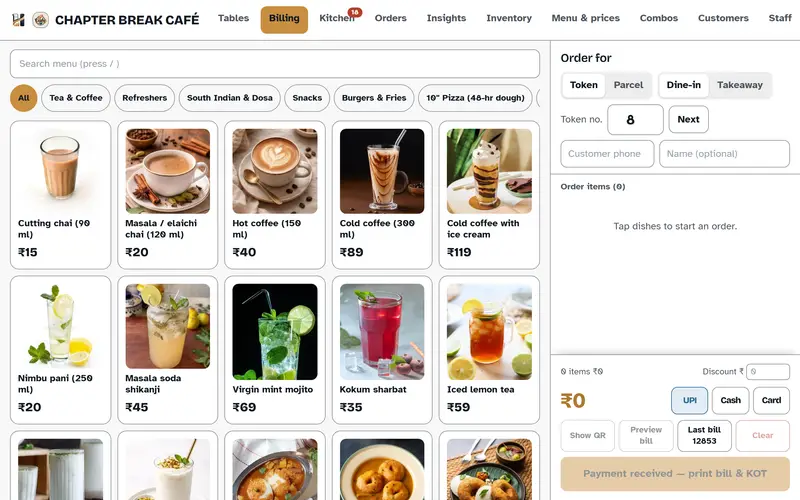
- Billing and combos
- Tap dishes to build the bill and print it. One-tap discounts and parcel charges. A combo sells as one line, then expands into its dishes on the kitchen slip.
- Kitchen board
- Live order cards appear as soon as an order is billed. Kitchen staff mark each one ready, then served.
- Tables and rounds
- Open a table and send rounds to the kitchen as they are ordered. Split, merge or settle bills.
- Insights
- Sales, top dishes, busiest hours, payment mix and day-close numbers.
- UPI QR
- Show a QR with the exact bill amount already filled in. Auto-confirm of payment is available as a paid add-on.
- Printing
- One tap prints the customer bill and the kitchen slip. GST is split into CGST and SGST automatically.
- Stock and recipes
- Recipes link dishes to ingredients in grams, millilitres or pieces. Each sale deducts stock, and you get food cost per dish and per combo, wastage and stock counts.
- Regulars
- A phone number brings up a returning customer’s last order and how often they visit. Cashiers see names, not history.
A look at the screens
Screens from Hisaab, using the demo outlet on the live app.
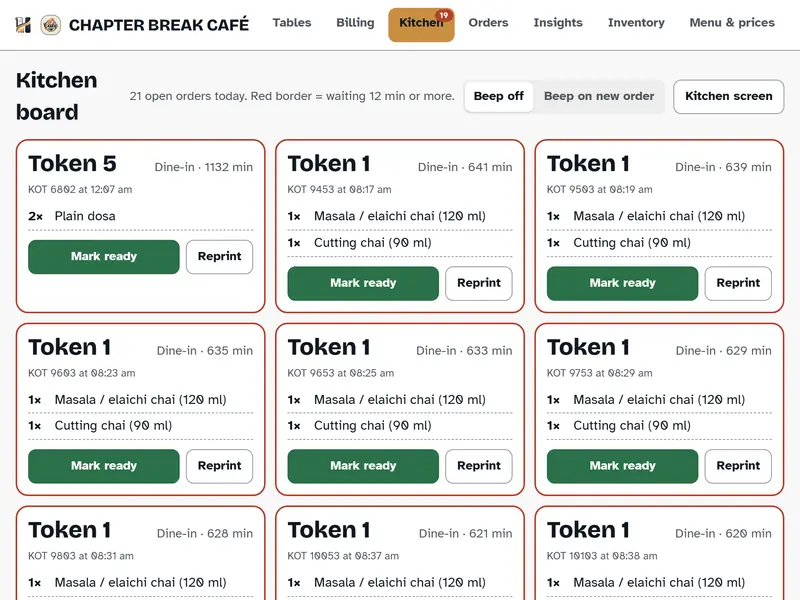
Kitchen board — order cards appear the moment a bill is raised. 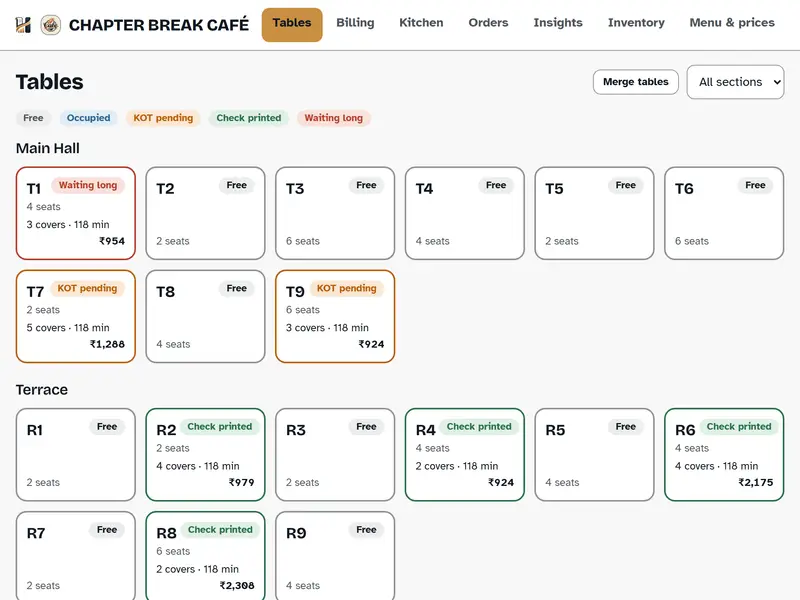
Tables — sections, covers and running totals at a glance. 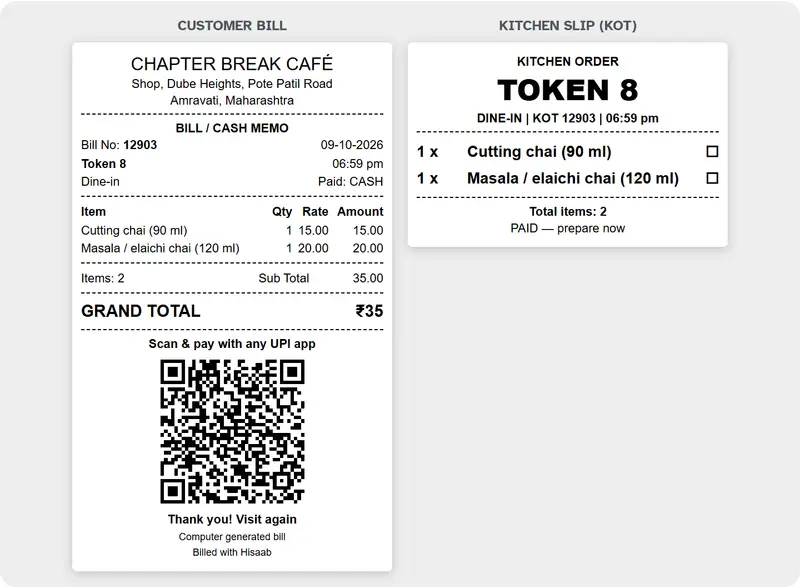
One tap prints the customer bill and the kitchen slip. 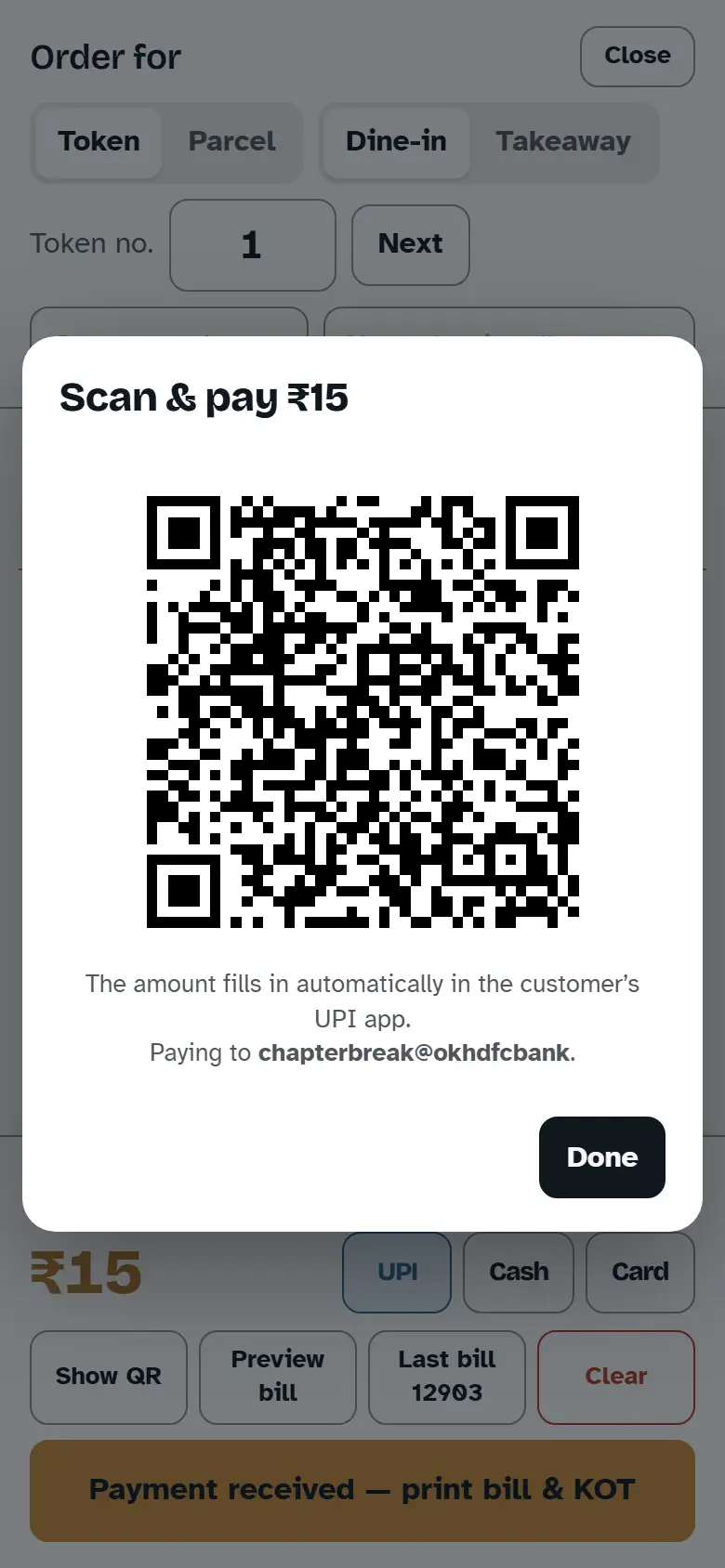
UPI QR with the exact amount already filled in. 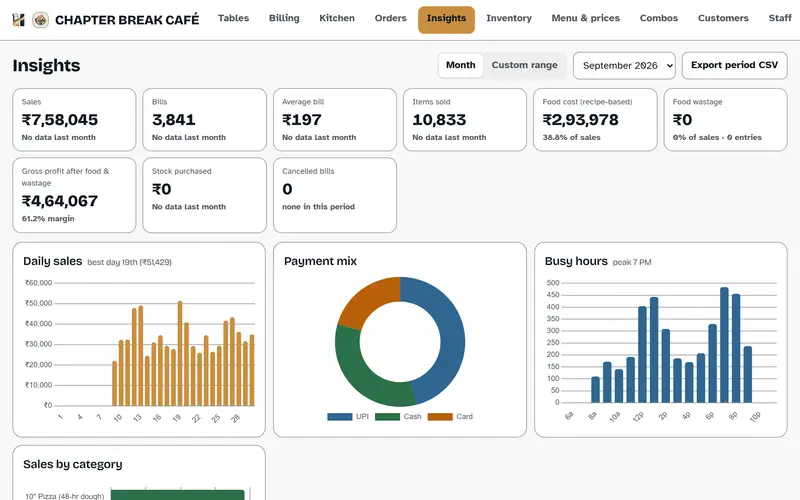
Insights — sales, top dishes, busiest hours and payment mix. 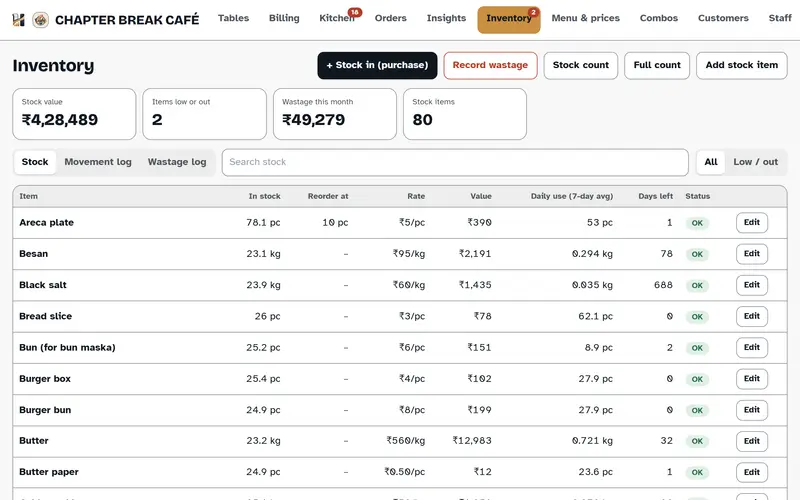
Stock — ingredient levels, daily use and days left. 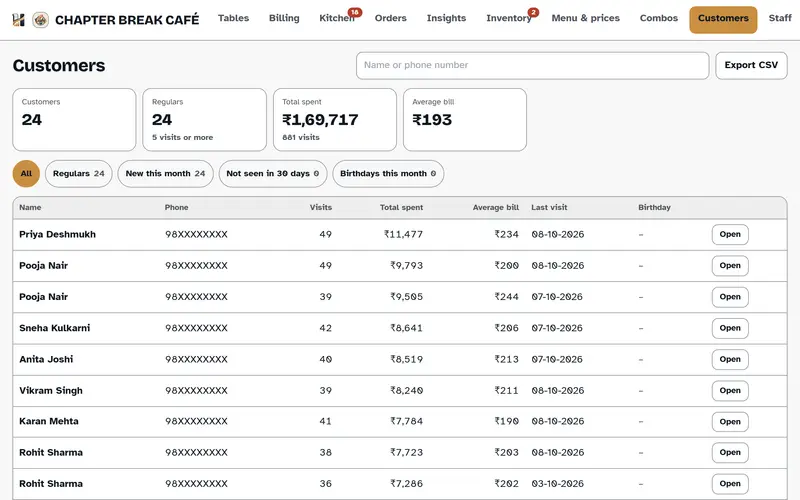
Regulars — who comes back, and how often.
What you need to run it
Hisaab is built for restaurants, cafés, dhabas, tea stalls, bakeries and food trucks.
Devices
A phone, an iPad, an Android tablet or a laptop, in the browser. No special hardware.
Printers
Any standard 80mm or 58mm receipt printer.
Your data
Stored in India, in the Mumbai region. Role-based access for owner, cashier and waiter, and you can export it at any time.
Not yet
Zomato and Swiggy integration is not built. If you need it, tell us and we will add your name to the request.
Pricing
Prices exclude GST. Add-ons are billed separately. Paying yearly works out about 17% cheaper than paying monthly.
Lite
Tea stalls and small counters
₹60₹600/month/year
- Billing, KOT printing and the kitchen board
- 1 staff login
- 1 billing device
- Up to 60 menu items
- Last 30 days of bills
- Works offline
Basic
Cafés and small kitchens
₹499₹4,990/month/year
Everything in Lite, plus
- Combos
- Customer history
- CSV export and import
- 2 staff logins
- Unlimited menu items
- Full bill history
Pro
Kitchens watching food cost
₹999₹9,990/month/year
Everything in Basic, plus
- Inventory and recipes
- Insights and reports
- 5 staff logins
Restaurant
Table service
₹1,499₹14,990/month/year
Everything in Pro, plus
- Table service
- UPI auto-confirm (paid add-on)
15-day free trial
No card needed, and we can extend it to 30 days if you ask. Whatever you set up during the trial — menu, recipes, bills — stays with you when you move to a paid plan.
Questions about Hisaab
Do I need the internet to bill?
No. Hisaab keeps billing, printing kitchen slips and running the kitchen board while the connection is down, and syncs everything once the internet comes back.
Which printers work with it?
Any standard 80mm or 58mm receipt printer, printing straight from the browser. There is no special hardware to buy.
How does GST work on the bills?
You set your rate and GSTIN once, and bills show the tax split into CGST and SGST automatically.
What if I want to cancel?
There is no lock-in. You can export your data at any time and stop whenever you like.
Is my data safe?
Your data is stored in India, in the Mumbai region, with role-based access for owner, cashier and waiter, and you can export it whenever you want.
What happens after the free trial?
Choose a plan and carry on. Your menu, recipes and bills from the trial stay exactly as they are.
Do you integrate with Zomato and Swiggy?
Not yet. If that matters for your outlet, tell us and we will add your name to the request.
Is our sales data used to train AI models?
No. Draaftly never uses your data to train AI models. Our AI providers, Anthropic and Google Cloud, do not use customer data from their commercial services to train their models by default. We explain this in full on our Trust page.
Put Hisaab on your counter
Fifteen days free, no card needed. Your menu, recipes and bills stay with you if you carry on.